How to Set Up Residential Proxies in AdsPower (with Screenshots)
Published: 17 July 2026 · Tested on AdsPower Global 8.6.3 (macOS) · Every step shown on a real profile
TL;DR: AdsPower fakes a unique browser fingerprint per profile — but if every profile exits through the same datacenter IP, the fingerprint work is wasted. Give each profile a real residential exit: on the Proxy tab pick HTTP, enter gw.roamproxy.com port 41080, set the proxy username to your Roam username + -country-us, hit Check Proxy, then open the profile and confirm a residential IP. Five steps, about two minutes.
An antidetect browser like AdsPower isolates each account into its own profile with a distinct fingerprint, cookies and storage. That only works if the network layer is isolated too — ten profiles sharing one datacenter IP is a ban cluster waiting to happen. This guide wires a Roam residential proxy into an AdsPower profile so each identity gets a clean, geo-matched consumer IP. No plugin, just AdsPower's built-in HTTP proxy support.
Step 1 — Get your Roam credentials
Sign up at roamproxy.com (300MB free, no card) and open the dashboard. You need three things: your proxy username, your proxy password, and the gateway gw.roamproxy.com:41080. To pin an exit country, append -country-<cc> to the username (e.g. -country-us); to keep the same IP across launches, add -session-<id>.
Step 2 — Create a new profile
In AdsPower click New Profile. On the General tab, give it a name you'll recognize (we used "Roam Residential US") and pick the operating system for the fingerprint. Everything else can stay on its defaults for now.
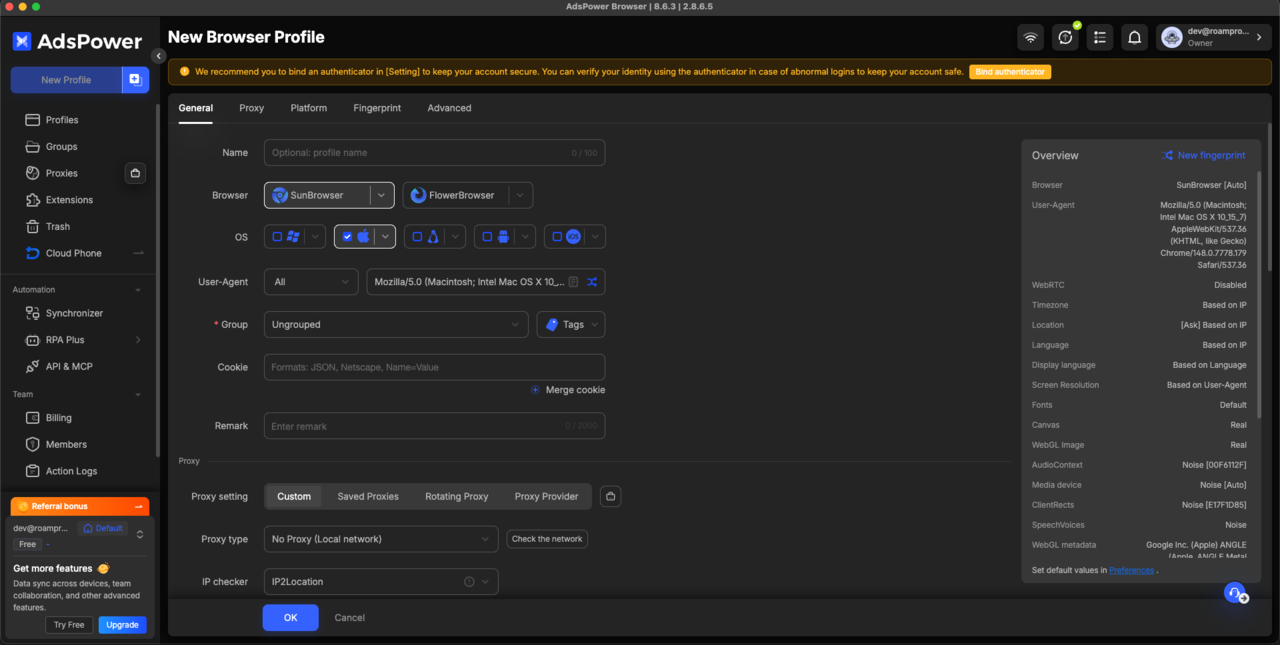
Step 3 — Add the Roam proxy
Switch to the Proxy tab and choose Custom. Set the fields exactly like this:
- Proxy type: HTTP
- Host:Port:
gw.roamproxy.com:41080 - Proxy username: your Roam username +
-country-us(add-session-<id>for a sticky IP) - Proxy Password: your Roam proxy password
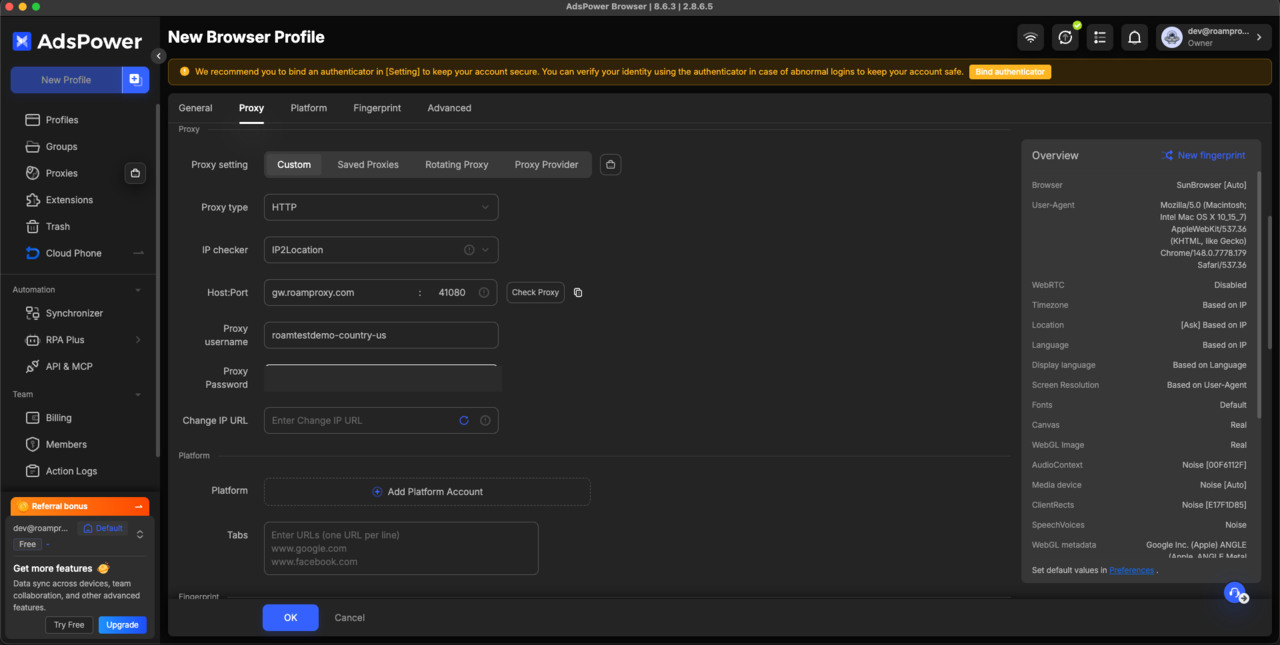
gw.roamproxy.com:41080, username pinned to -country-us.Step 4 — Check the proxy
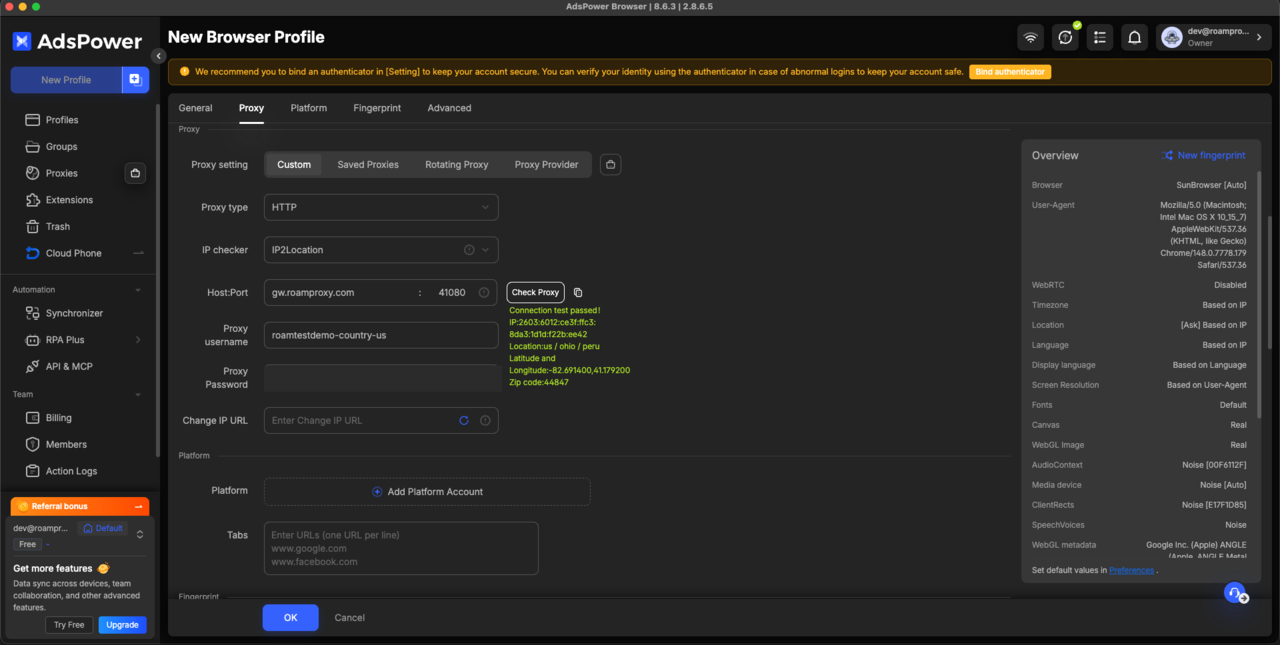
Click Check Proxy. AdsPower runs a live connection test and, on success, prints Connection test passed along with the exit IP, country and city. Here the demo exit resolved to a US connection — confirmation the credentials and country tag work before you ever launch the browser.
Click OK to save. The profile now appears in your list, ready to launch.
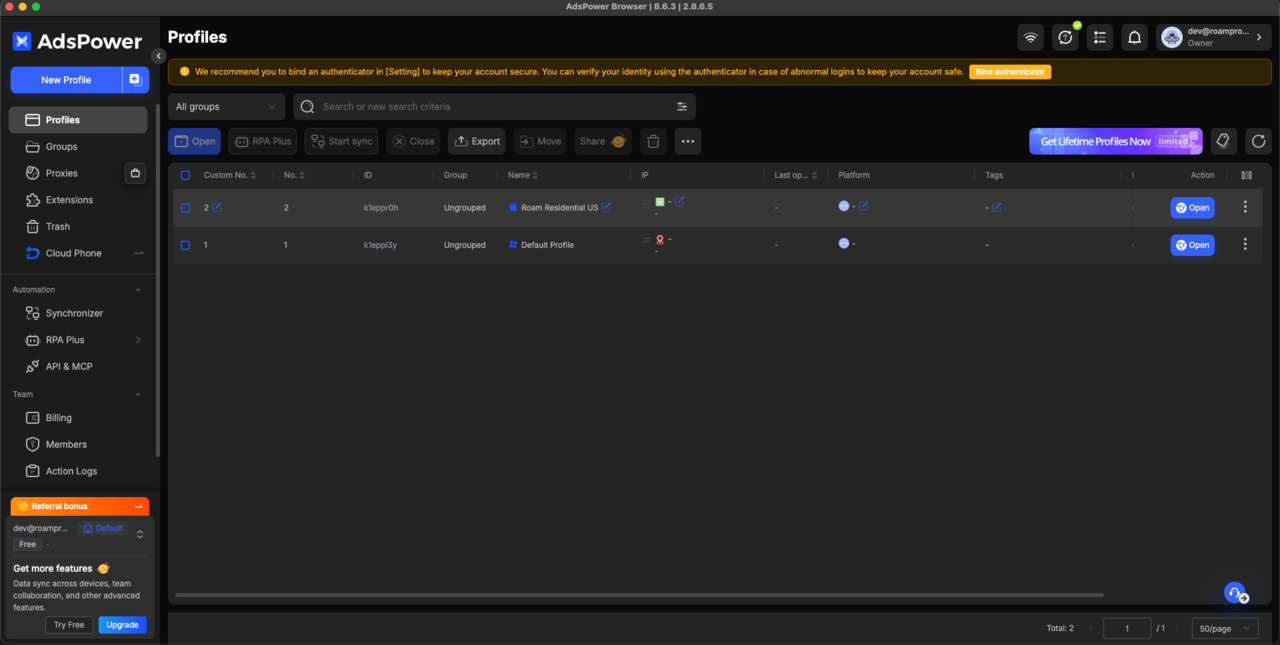
Step 5 — Open and verify the exit
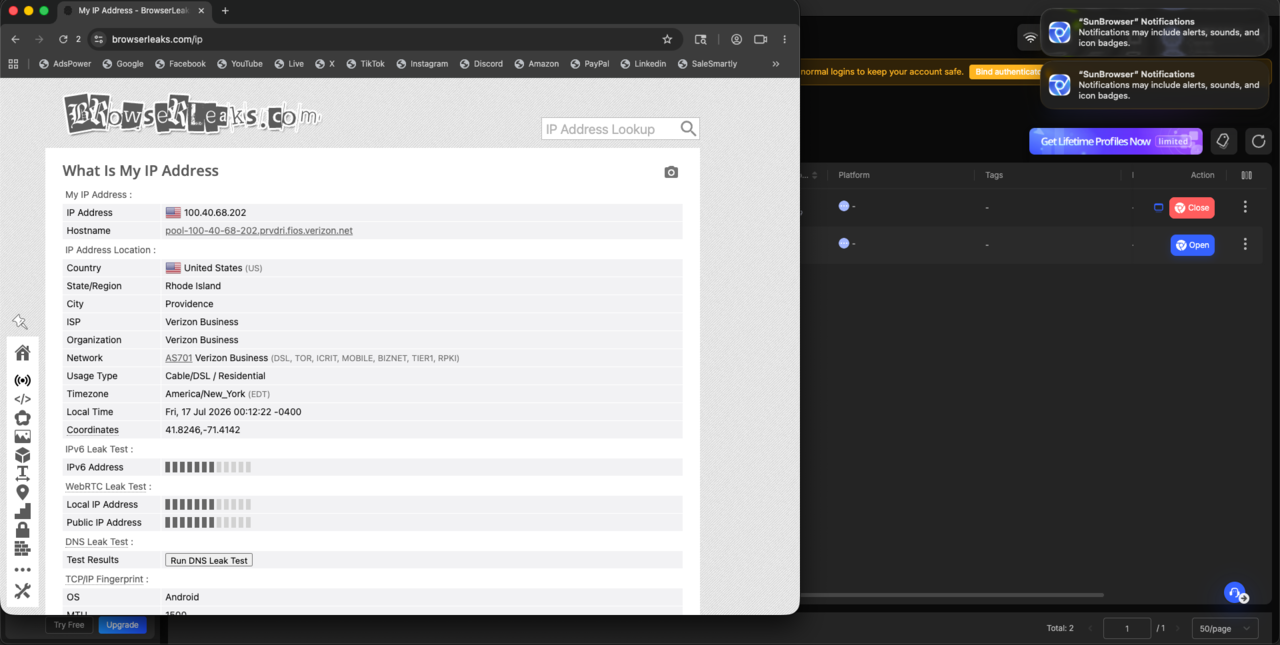
Hit Open to launch the profile's browser, then go to an IP checker such as browserleaks.com/ip. Read back the exit: it should be a real consumer ISP in your chosen country, tagged Residential — not the datacenter you're running AdsPower on. In our run the exit came back as a US Verizon residential line in Providence, Rhode Island.
Rotate or keep the IP
The -session-<id> token in the username controls stickiness. Keep the same ID and that profile reuses the exact same residential IP every launch — the right choice for accounts you log into repeatedly. Change the ID (or drop it) to pull a fresh IP. For accounts you keep for months, a dedicated static residential IP ($4/IP/month) is even more stable than a sticky session. Either way, keep one profile mapped to one exit — never let two AdsPower profiles share an IP.
FAQ
Which proxy type should I use in AdsPower for Roam?
HTTP. Enter Host gw.roamproxy.com, Port 41080, and your Roam username:password. Add -country-<cc> to the username to choose the exit country and -session-<id> for a sticky IP.
How do I give each AdsPower profile its own IP?
Use a different -session-<id> token per profile. Each unique token maps to its own sticky residential IP, so no two profiles share an exit. For long-lived accounts, assign each a dedicated static residential IP instead.
Can I test AdsPower + Roam for free?
Yes. Roam gives a 300MB residential free trial with no card required — enough to create a profile, connect the proxy, run Check Proxy and confirm your residential exit IP before paying. After that it's $2/GB metered, no subscription.
Does Roam integrate with AdsPower directly?
No plugin is needed — Roam works as a standard HTTP proxy. Paste the credentials into AdsPower's Proxy tab and it works. For bulk profiles you can also script it through AdsPower's local API; reach support@roamproxy.com if you want a hand.
Give every AdsPower profile a real residential exit: start with 300MB free — no card, then $2/GB metered with no subscription. Related: GoLogin proxy setup · Kameleo proxy setup · proxies for antidetect browsers. Hitting an error instead? Fix a proxy that will not connect.